
The Nvidia Shield TV (2019) and Shield Pro remain the most powerful Android TV boxes in 2026 — and that makes them the ultimate IPTV machine. The Tegra X1+ processor decodes any stream without breaking a sweat, AI upscaling sharpens HD IPTV channels on 4K screens, and the Pro model swallows enormous playlists. Here is how to install IPTV Smarters Pro and tune the Shield for flawless streaming.
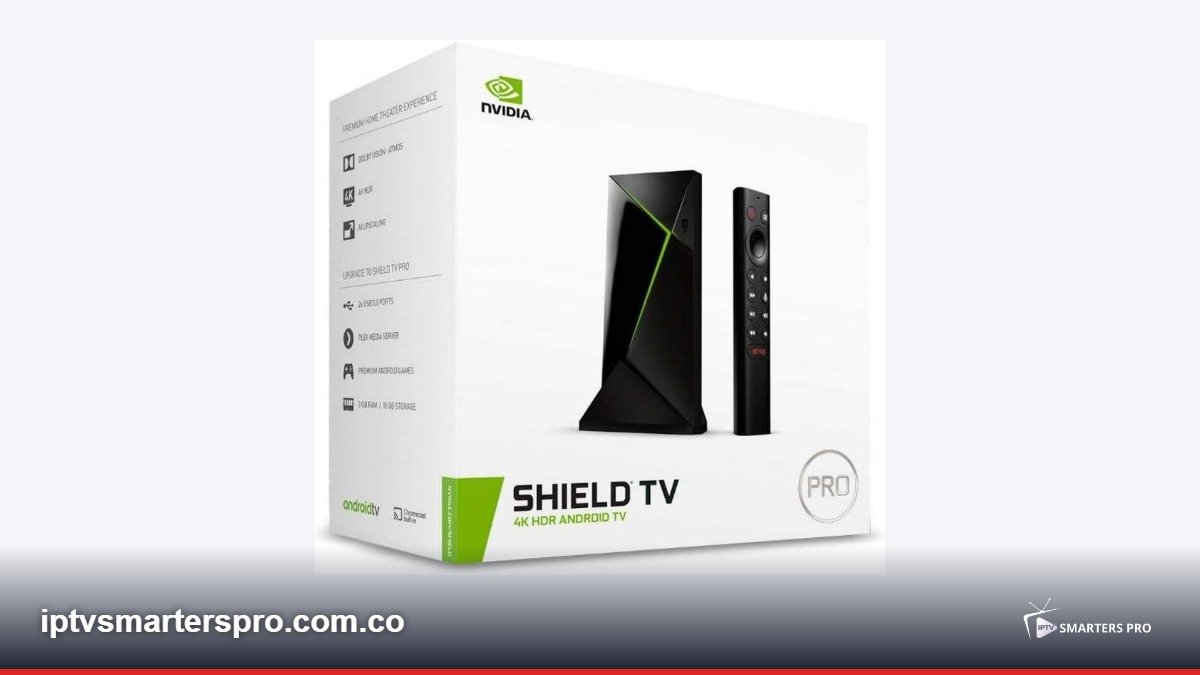
Table of Contents
- Why the Nvidia Shield Is the Best IPTV Box
- Step 1: Install IPTV Smarters Pro from Play Store
- Step 2: Alternative — Sideload the APK
- Step 3: Log in With Your Playlist
- Best Shield Settings for IPTV (4K HDR)
- Using the Shield Pro as an IPTV DVR
- Fixing Buffering on Nvidia Shield
- Shield vs Other Devices for IPTV in 2026
- Legal Streaming Note
Why the Nvidia Shield Is the Best IPTV Box
The Shield earns its premium price for IPTV users because of:- Tegra X1+ chip — decodes H.264, HEVC, VP9 and AV1 in hardware
- AI upscaling — makes 720p/1080p IPTV channels look near-4K
- Android TV with full Play Store — native app installs, no sideloading gymnastics
- Gigabit Ethernet for rock-stable 4K streaming
- Shield Pro adds USB ports for PVR/recording drives
- Long-term firmware support — years of updates, unlike budget boxes
Step 1: Install IPTV Smarters Pro from Play Store
The Shield runs full Android TV, so installation is one tap:- Open the Play Store from the Shield home screen
- Search for IPTV Smarters Pro
- Select Install and wait 30 seconds
- Open the app and accept the Privacy Policy and permissions
- You are now at the login screen
Step 2: Alternative — Sideload the APK
If the Play Store version is unavailable in your country:- Install “Send Files to TV” from the Play Store on both Shield and phone
- Download the IPTV Smarters Pro APK on your phone
- Send the APK to the Shield over the same Wi-Fi
- On the Shield, open the APK with a file manager like File Commander
- Allow “Install unknown apps” for the file manager when prompted
Step 3: Log in With Your Playlist
Same login as every platform:- Xtream Codes API — enter your line name, username, password and server URL from your legal IPTV provider
- M3U URL — paste the playlist link your provider gave you
- Click Add User and wait for channels, VOD and EPG to download
- On 20,000+ channel lists the first load can take 2–3 minutes — the Shield handles it once and caches it
Best Shield Settings for IPTV (4K HDR)
These settings unlock the Shield full picture quality:- Settings > Device Preferences > Display & Sound: enable “Match content frame rate” where available
- AI Upscaling: Settings > AI Upscaling > Quality = Super for HD IPTV channels on 4K TVs
- In Smarters Pro: Decoder = Hardware (the Shield decoder is excellent)
- Buffer = Small on Ethernet; Medium on Wi-Fi
- Enable 60 Hz output for sports to avoid judder
- Turn off “Frame rate matching” if channels switch resolution and your TV flashes
Using the Shield Pro as an IPTV DVR
The Shield Pro USB ports enable real PVR functionality:- Connect a USB 3.0 external drive (SSD recommended)
- Format it as device storage or removable storage in Settings
- In apps supporting recording, select the programme and record to the drive
- Recording IPTV depends on provider support for catch-up and recording flags
- The Shield also runs Plex Server — record once, watch everywhere
Fixing Buffering on Nvidia Shield
The Shield rarely buffers — when it does, the cause is almost always network or provider:- Always prefer the gigabit Ethernet port over Wi-Fi
- Reboot router and Shield (unplug 30 seconds)
- In Smarters Pro, switch the problematic channel to Software decoding
- Check provider server status — congestion causes freezing regardless of hardware
- If AI upscaling stutters on weak channels, set it to Basic instead of Super
Shield vs Other Devices for IPTV in 2026
Quick comparison for IPTV buyers:- Shield Pro — best overall performance, PVR, AI upscaling; premium price
- Formuler Z11 Pro Max — best dedicated IPTV ergonomics and MYTVOnline3
- Firestick 4K Max — best budget pick, same app support, less RAM
- Apple TV 4K — superb hardware but few IPTV player options
- Smart TV built-in — convenient but weakest hardware and no Smarters Pro on Tizen or webOS
Legal Streaming Note
Nvidia Shield is legal hardware and IPTV Smarters Pro is a legitimate media player used with legal subscriptions. Content legality depends entirely on the playlist source. This website provides setup guides only — we do not sell, host or promote IPTV services.Related Guides
- IPTV Smarters Pro for Android TV
- IPTV Smarters Pro for Firestick
- IPTV Smarters Pro for Windows
- Best IPTV Services 2026