
The Formuler Z11 Pro Max is one of the most powerful dedicated IPTV boxes of 2026 — a fast processor, generous RAM, Google TV certification and the superb MYTVOnline3 app designed specifically for IPTV. This guide covers both ways to run IPTV on it: the native MYTVOnline3 experience and installing IPTV Smarters Pro via the Play Store, plus the settings that make 4K flawless.
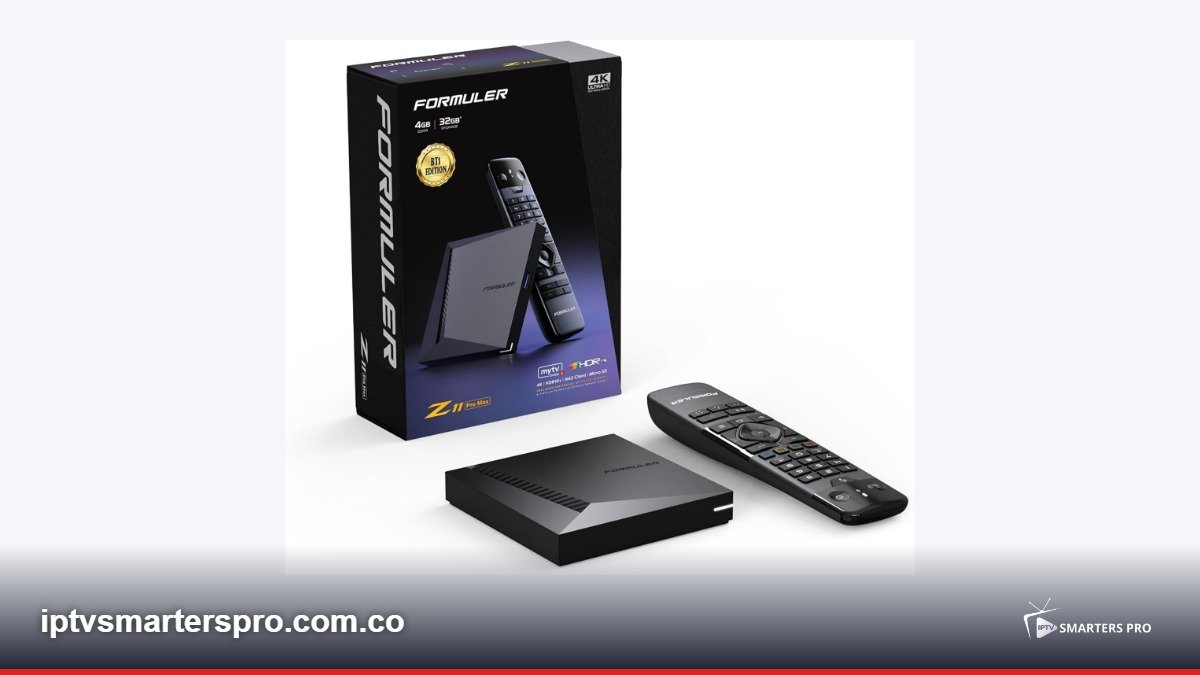
Table of Contents
- Formuler Z11 Pro Max: Key Specifications
- Option 1: MYTVOnline3 (The Native Experience)
- Option 2: Install IPTV Smarters Pro
- Setting Up EPG Correctly
- Best Settings for 4K Streaming
- Z11 Pro Max vs Other IPTV Boxes
- Troubleshooting Formuler IPTV Issues
- Legal Streaming Reminder
Formuler Z11 Pro Max: Key Specifications
Understanding the hardware explains why this box is a favourite for IPTV:- Processor: quad-core ARM, tuned for video decoding
- RAM: 4 GB — instant channel switching even on 20,000+ channel lists
- Storage: 32 GB internal, expandable by USB
- Video: 4K HDR10+ with full HEVC and VP9 hardware decoding
- Wi-Fi: dual-band with external antennas for stable 5 GHz
- OS: Google TV with full Play Store access
Option 1: MYTVOnline3 (The Native Experience)
MYTVOnline3 is Formuler’s own IPTV app, pre-installed and purpose-built:- Open MYTVOnline3 from the home screen
- Choose Add Portal (for Xtream/portal lines) or Add Playlist (for M3U)
- Portal setup: enter the portal URL exactly as given by your legal provider, plus username and password
- Playlist setup: paste your M3U URL and optional EPG XMLTV link
- Wait for channels, VOD and EPG to populate
- MYTVOnline3 advantages: instant zapping, beautiful TV-friendly UI, recording support and macro buttons on the Formuler remote
Option 2: Install IPTV Smarters Pro
If you prefer the Smarters Pro interface or already use it on other devices:- Open the Google Play Store on the Z11 Pro Max
- Search for IPTV Smarters Pro and install it
- Accept the terms and permissions on first launch
- Login with Xtream Codes API — enter your subscription details exactly
- Or paste an M3U URL in the M3U login option
- Your channels, favourites and VOD appear just like on Firestick or Android TV
Setting Up EPG Correctly
A good EPG transforms IPTV from a channel list into a real TV experience:- In MYTVOnline3, EPG usually loads automatically with portal lines
- For M3U lines, add the XMLTV URL your provider supplies in the playlist settings
- In IPTV Smarters Pro: Settings > EPG > add external XMLTV source if guide data is missing
- Let the box idle on the guide screen for 5 minutes for the first full EPG download
- Refresh EPG every 12–24 hours to stay accurate
Best Settings for 4K Streaming
The Z11 Pro Max is powerful, but these settings guarantee perfection:- Use Ethernet — the box has a gigabit port, the single biggest upgrade for 4K stability
- Display: Settings > Display > 4K 60Hz, HDR auto
- In MYTVOnline3: enable hardware decoding (default) and set buffer to Medium
- In Smarters Pro: keep hardware decoder; switch to software only for a problematic channel
- Disable auto-updates during viewing hours to avoid zapping lag from background downloads
Z11 Pro Max vs Other IPTV Boxes
How does it compare in 2026?- vs Firestick 4K Max: Formuler wins on remote macros, recording and MYTVOnline3 polish; Firestick wins on price
- vs Nvidia Shield: Shield is stronger for gaming/emulation and Android updates; Formuler is stronger for pure IPTV ergonomics
- vs generic Android boxes: Formuler has genuine Google certification, better decoders and real support — avoid no-name boxes
Troubleshooting Formuler IPTV Issues
Channel won’t open — test the same line on another device; if it fails there too, the issue is the provider line, not the box.EPG missing — confirm the XMLTV URL is current; providers rotate EPG links occasionally.Box overheats — the Z11 Pro Max runs warm under 4K; keep it ventilated, never stacked on the router.Remote macros not working — re-pair the remote: hold OK + Back until it blinks twice.Legal Streaming Reminder
The Formuler Z11 Pro Max and MYTVOnline3 are legal hardware and software. IPTV legality depends entirely on your playlist source — subscribe only to licensed providers in your country. This website sells nothing and hosts nothing; we publish independent setup guides.Related Guides
- IPTV Smarters Pro for Android TV
- IPTV Smarters Pro for Smart TV
- How to Setup EPG
- Best IPTV Services 2026